Best Monetization Tools for Small Online Businesses
This guide is for solo bloggers about to flip on display ads, indie consultants packaging a first paid offer, and small Etsy/Shopify operators looking past the marketplace cut.
Check official pricing and plan details
Direct vendor pages for products discussed or cited in this guide. Prices and terms can change.
Square
"Square is commonly used by businesses combining online and offline sales. It bridges physical and digital payments."
Klaviyo
"Klaviyo is popular among eCommerce and product-based businesses. It connects purchasing behavior with email automation."
HubSpot CRM
"HubSpot is widely used by small businesses because: It’s often the first true CRM small businesses adopt."
They struggle to make sales repeatable.
Orders come in — but not consistently.
Customers buy once — but don’t return.
Data exists — but isn’t connected.
The problem is rarely demand.
It’s monetization infrastructure.
This guide explains how monetization tools help small online businesses turn scattered transactions into structured revenue systems.
Monetization for Small Businesses Is an Operating System
For small businesses, monetization is not about squeezing more sales.
It’s about making revenue dependable.
That requires tools that support:
- payments
- customer data
- communication
- follow-up
- repeat purchases
When these elements are disconnected, growth stalls.
Why Small Businesses Need Different Monetization Tools
Small businesses sit in an uncomfortable middle ground.
They are beyond hobby level — but not enterprise.
They need tools that:
- are simple to operate
- integrate easily
- scale without heavy setup
- reduce manual work
Overly complex systems slow owners down.
Underpowered tools create chaos.
1. Payment Tools: Where Revenue Begins
Payment tools are the first monetization layer.
They affect trust, conversion, and cash flow.
Stripe
Stripe is widely used by small online businesses for:
- card payments
- subscriptions
- invoicing
- checkout APIs
It integrates smoothly with most modern tools.
PayPal
PayPal remains important for customer trust, especially in international markets.
Many businesses offer PayPal alongside Stripe to reduce checkout friction.
Square
Square is commonly used by businesses combining online and offline sales.
It bridges physical and digital payments.
Wise Business
Used by global small businesses to receive and manage international payments efficiently.
2. Email Tools: Turning One-Time Buyers Into Customers
Email remains one of the highest ROI channels for small businesses.
Mailchimp
Often used at early stages for basic customer communication.
Klaviyo
Klaviyo is popular among eCommerce and product-based businesses.
It connects purchasing behavior with email automation.
ActiveCampaign
ActiveCampaign sits between email marketing and CRM.
It’s often used by service businesses and B2B operators.
3. CRM Tools: Organizing Customer Relationships
Once customers accumulate, memory stops working.
CRM tools provide structure.
HubSpot CRM
HubSpot is widely used by small businesses because:
- core CRM is free
- email, deals, and pipelines integrate easily
- scaling is gradual
It’s often the first true CRM small businesses adopt.
Zoho CRM
Zoho offers flexible pricing and broad functionality.
Many businesses use Zoho as a long-term operational backbone.
Pipedrive
Pipedrive is popular for sales-driven small businesses.
It visualizes pipelines clearly and supports follow-ups.
Automation Tools: Connecting Revenue Systems
Automation tools connect payments, email, and CRM.
They eliminate manual repetition.
Zapier
Zapier is widely used to:
- sync customers after purchase
- trigger onboarding emails
- update CRM records
Make (formerly Integromat)
Make is often chosen when workflows become more complex.
It offers deeper logic and customization.
How These Tools Work Together
Effective monetization systems connect layers.
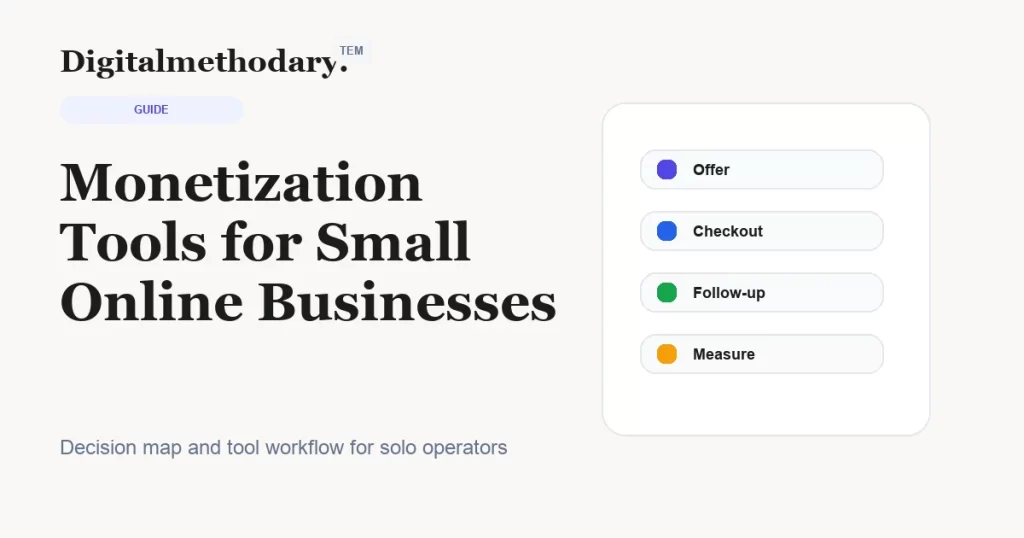
A typical flow might look like:
Customer pays →
Payment tool records transaction →
Email tool triggers onboarding →
CRM stores customer profile →
Automation schedules follow-up
No chaos.
No spreadsheets.
Just flow.
Why Small Businesses Lose Money Without Systems
Common issues include:
- customers not followed up
- renewals forgotten
- leads ignored
- data scattered
- repeat sales missed
These losses are invisible — but significant.
Tools don’t increase demand.
They prevent leakage.
Monetization Is Not Sales — It’s Continuity
Sales create revenue.
Systems protect it.
Small businesses grow when revenue becomes predictable — not when individual sales spike.
Monetization tools exist to create continuity.
A Practical Monetization Stack for Small Online Businesses
A common setup includes:
- Stripe or PayPal for payments
- Mailchimp or ActiveCampaign for communication
- HubSpot or Pipedrive for CRM
- Zapier or Make for automation
Each tool plays a defined role.
None overlaps unnecessarily.
Final Thoughts
Small online businesses don’t need complex enterprise platforms.
They need clarity.
The right monetization tools help owners:
- see their customers
- understand their revenue
- reduce manual work
- support long-term growth
When payments, communication, and customer data work together, income stops feeling random.
It becomes a system.
And systems are what allow small businesses to scale without burning out.
Editorial standards: We align affiliate disclosures with FTC endorsement guidance and publish review markup compatible with schema.org Review.
Detailed reviews
Square
Square is commonly used by businesses combining online and offline sales. It bridges physical and digital payments.
Square is commonly used by businesses combining online and offline sales. It bridges physical and digital payments.
Strengths
- Clear fit for the primary workflow
- Fast path from trial to decision
- Enough depth without heavy setup
Weaknesses
- May need a higher tier for advanced teams
- Requires a clean buying criterion first
Klaviyo
Klaviyo is popular among eCommerce and product-based businesses. It connects purchasing behavior with email automation.
Klaviyo is popular among eCommerce and product-based businesses. It connects purchasing behavior with email automation.
Strengths
- Clear fit for the primary workflow
- Fast path from trial to decision
- Enough depth without heavy setup
Weaknesses
- May need a higher tier for advanced teams
- Requires a clean buying criterion first